
Excel VLOOKUP alternative
VLOOKUP has been doing fuzzy match wrong for 25 years.
Excel's fuzzy story is a pile of workarounds — Microsoft's free add-in (Windows only), Power Query's fuzzy merge (with a Mac/Windows parity break), VBA macros (you own the code), and helper-column gymnastics. Here's where each one runs out of road, and the threshold for moving to a purpose-built tool.

The honest history
The four fuzzy-match paths Excel has shipped, and what each gave up.
VLOOKUP shipped in 1985. XLOOKUP shipped in 2019. Both are exact-match by default. In the 34 years between them, Excel users have tried Microsoft's free Fuzzy Lookup Add-In (2011, Windows-only), Power Query (Excel 2016+, fuzzy merge added later), Power Query fuzzy on Mac (recent, with caveats), VBA macros, and helper-column normalization with LOWER/TRIM/REGEXREPLACE. Each addressed a slice of the problem without solving the whole thing.
None of it is bad. Excel is genuinely the right tool for many jobs — clean exact-match VLOOKUP under 50K rows, simple data entry, financial modeling. Where it stops being the right tool is when the join key isn't clean, the data crosses platforms, or the workflow needs to repeat. The next sections walk through each.
The three walls
What Excel fundamentally can't do for fuzzy matching.
1. The 1,048,576 row hardcap is in the file format itself.
Hardcoded into the Office Open XML specification since Excel 2007 and unchanged through Microsoft 365 / Excel 2026. Can't be increased by registry edits, add-ins, or settings. CSV files past 1M rows can't load into a single sheet — Power Query's Data Model gets you past it for analysis, but you still can't put the rows in cells and look at them. For fuzzy matching specifically, the practical ceiling is much lower: ~50K rows before the O(n²) comparison work brings Excel's calculation engine to its knees.
2. The Microsoft Fuzzy Lookup Add-In is Windows-Excel-only.
The official Microsoft Research add-in is the most powerful fuzzy-match tool Microsoft has shipped for Excel — and it's a Windows-only Setup.exe installer. No Mac version, no Excel for the web, no Excel for iPad, no Excel for Microsoft 365 on a Chromebook. If your team is mixed-platform (almost every team in 2026), half of them can't use it.
3. Power Query fuzzy merge breaks shared workbooks across Mac/Windows.
Mac Excel got Power Query's fuzzy merge more recently — but Microsoft's own community guidance is explicit: if anyone with a Mac will open the file, fuzzy matching can produce different results than the Windows version due to algorithm parity. The recommended workaround is to drop fuzzy matching entirely and normalize via TRIM/LOWER first — which is just helper columns under another name.
The four workarounds
What Excel users actually try when VLOOKUP isn't enough.
Each of these works for a specific shape of fuzzy-match problem and breaks for the others. Knowing which is which saves you the afternoon of building one and then discovering it can't catch the duplicates that actually exist in your file.
Helper columns + VLOOKUP / XLOOKUP
Add columns with =LOWER(TRIM(SUBSTITUTE(A2," ",""))) and a few REGEX-based normalizations to collapse formatting variants (case, whitespace, punctuation). VLOOKUP against the normalized column. Catches case/whitespace/punctuation drift but completely misses nickname pairs (Bob/Robert), phonetic similarity (Smyth/Smith), email aliases (john+work@ vs john@), and weighted multi-field matching.
Ceiling: casual normalization at any size. Falls apart on real entity-resolution problems.
Microsoft Fuzzy Lookup Add-In (Windows only)
Free download from Microsoft. Uses the Jaccard index for similarity. Works well for character-distance matching at modest scale — typo correction, slight name variants. Setup is a Windows-only .exe; no Mac version, no Excel for web, no iPad. Practical row ceiling is ~50K — the O(n²) work outpaces Excel's calculation engine past that. No nickname database, no multi-field weighted matching.
Ceiling: works for typo-style matching at modest scale on Windows machines. Useless for cross-platform teams or weighted multi-field problems.
Power Query fuzzy merge (Excel 2016+)
The Table.FuzzyNestedJoin transformation in Power Query. Handles larger files than the add-in (Power Query streams), and works on Mac Excel (eventually). Same Jaccard-index algorithm as the add-in — same character- distance limitations. The Mac/Windows shared-workbook caveat applies: results can drift across platforms, so the practical guidance is to either keep the file Windows-only or drop fuzzy and normalize via helper columns.
Ceiling: better than the add-in on file size and platform support, but the algorithm is identical and the cross-platform caveats are real for shared workbooks.
Custom VBA with Levenshtein/Jaro-Winkler
Write a VBA function that implements a string-distance algorithm and call it as a custom Excel formula. Powerful — you can do real fuzzy matching this way. Also: you now own a VBA dependency, the macros may break across Excel updates (and don't run on Mac Excel without modification), and you're still doing single-field matching unless you build the weighted-evidence math yourself (which is a real probabilistic record-linkage problem, not a weekend project).
Ceiling: works for one engineer who likes maintaining VBA. Doesn't scale across a team, doesn't survive Office updates without attention, doesn't run cleanly on Mac.
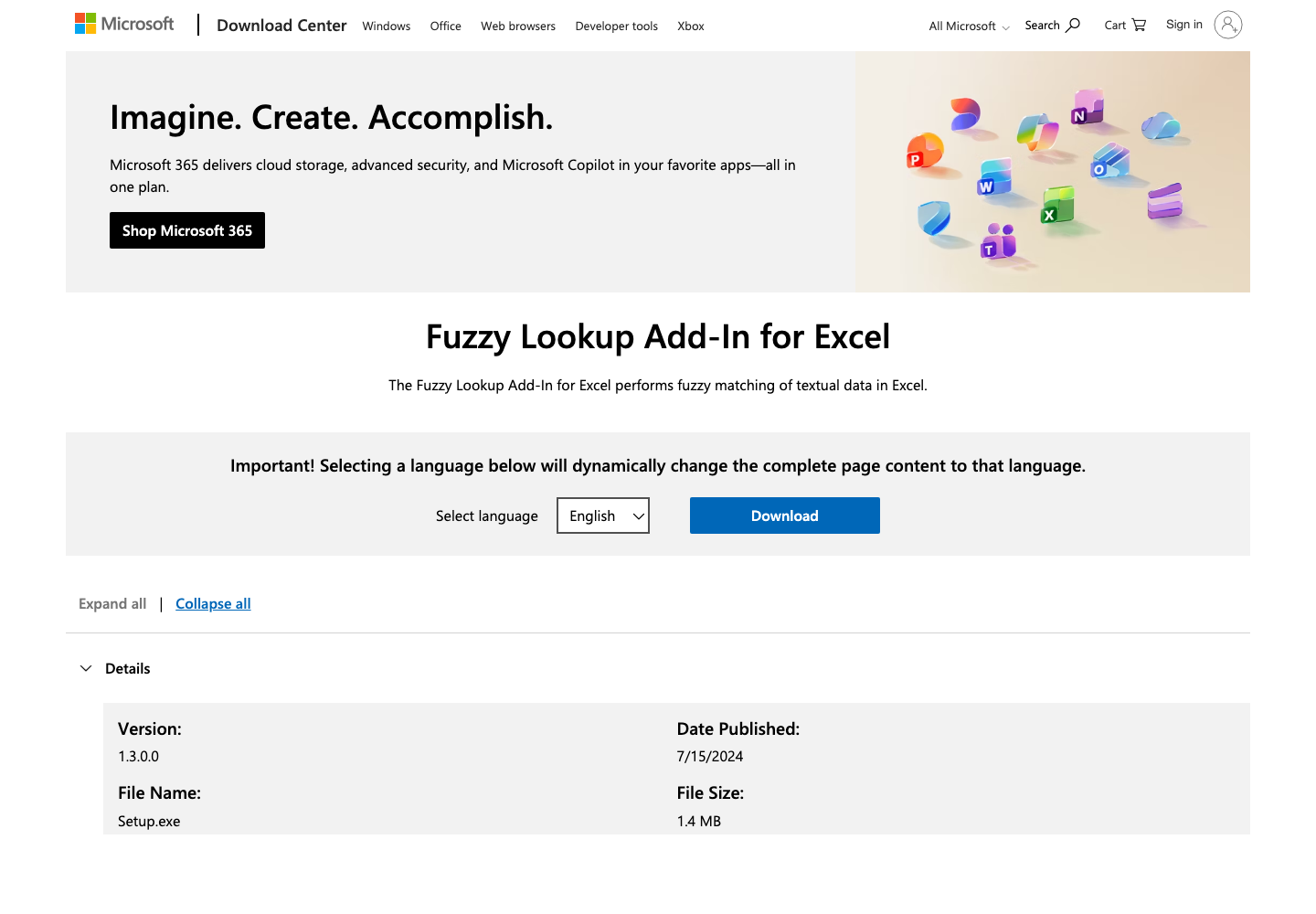
Microsoft's own download page for the Fuzzy Lookup Add-In: file name 'Setup.exe', 1.4MB. There's no .pkg, no .dmg, no Mac App Store listing — Windows Excel only by design.
Microsoft Download Center (accessed 2026-04-26)Same job, both tools
Dedupe a 30,000-row vendor list — Excel workflow vs ListMatchGenie.
Concrete scenario: a 30,000-row vendor list with name + email + address. Goal: collapse duplicates that survived the migration from the old AP system, including company-name suffix variants ('Acme Inc' vs 'Acme Corporation') and address abbreviations. Here's what each path looks like.
In Excel
- 1. Open the CSV. Wait while Excel opens 30K rows. Save as XLSX.
- 2. Decide which workaround. If on Mac, Power Query (with the shared-workbook caveat). If on Windows, install the Fuzzy Lookup Add-In or use Power Query.
- 3. Add 5 helper columns: lowercase name, lowercase company, normalized address, stripped phone, normalized email local-part.
- 4. Run the fuzzy merge against the helper columns. Wait — 5 to 30 minutes on 30K rows depending on tool and machine.
- 5. Get a flat table of suggested matches with a similarity score. No clustering by reason, no 'why this matched' explanation, no review queue UI.
- 6. Spot-check manually. Build a 'merge or not' column with formulas. Filter, copy, paste, hope you didn't miss anything.
- 7. Save and pray a Mac user doesn't reopen the file with different fuzzy results.
Time estimate: 4–8 hours for a careful first run. 2–4 hours every time you repeat it (formulas don't survive copy/paste into a new file cleanly).
In ListMatchGenie
- 1. Drag the CSV or XLSX in. The Genie auto-detects schema and profiles every column for completeness, validity, and fill rate.
- 2. Pick a match profile (vendor matching preset) or build a custom one weighted however you want — name, address, phone, email weighted independently.
- 3. Run the self-dedup. The matching engine handles company-suffix variants, address abbreviations, phone formats, email aliases — all weighted into a composite confidence score.
- 4. Get a review queue clustered by pattern with confidence scores and 'why this matched' explanations. Bulk-accept high-confidence groups, review the borderline ones individually.
- 5. Export the deduped CSV with original columns + match status + confidence + master-record ID. Cross-platform — same results whether the file is opened on Mac, Windows, or anywhere.
- 6. Save the match profile. Next quarter's vendor list takes 5 minutes.
Time estimate: 15–30 minutes for the first run. 5 minutes for re-runs. No platform caveats.

Capability comparison.
| Feature | ListMatchGenie | Excel |
|---|---|---|
| Native fuzzy / probabilistic matching | Calibrated weighted evidence | Add-in or Power Query required |
| Multi-field weighted matching (name + email + phone + co.) | Single-field similarity at most | |
| Nickname / phonetic / alias awareness | Robert↔Bob, Smyth↔Smith built in | |
| Cross-platform (Mac, Windows, web — same results) | Browser-based, identical everywhere | Add-in is Windows-only; Power Query fuzzy diverges Mac/Windows |
| Practical fuzzy-match row ceiling | 100K+ on Pro tier | ~50K before Excel calc engine slows |
| Confidence scores + 'why this matched' explanations | Similarity score only, no reasoning | |
| Review queue with bulk-accept by pattern | Manual filter/copy/paste at best | |
| Saved match profile for re-runs | Macros / Power Query queries — fragile across files | |
| Cost | $0 free / $39 / $99 / $189 monthly | Already part of Microsoft 365 |
When Excel is the right call
Stay in Excel if all of these are true.
Excel is genuinely enough.
- Both files share an exact, clean unique ID (customer_id, SKU, NPI, etc.) that doesn't drift across systems.
- Your fuzzy-match dataset is under ~10,000 rows.
- Everyone who'll touch the file is on Windows Excel — no Mac, no web, no iPad.
- Duplicates are mostly typos and case/whitespace variants — no nicknames, no email aliases, no weighted multi-field matching needed.
- It's a one-off task, not a recurring monthly or quarterly workflow.
- You don't need a record of which matches were accepted by whom and why.
If all six are true, opening Excel and adding helper columns + VLOOKUP is the right move. We'd do the same.
When to leave Excel
The thresholds that mean it's time for a real matching tool.
If any one of these flips for you, the time tax of the Excel workarounds exceeds the cost of a purpose-built tool.
- Your fuzzy-match dataset crosses ~10,000 rows or you're running into Excel's calculation engine slowing down past 50K.
- You need to dedup or cross-match on 3+ fields together (name + email + phone, etc.) — single-field similarity isn't enough.
- You're doing this monthly or quarterly and want to save the configuration so the next file is a 5-minute job, not a 4-hour rebuild.
- Your team is mixed-platform (Mac + Windows + web) and the Mac/Windows fuzzy-merge parity caveats are unworkable.
- Stakeholders ask 'why did we treat these as duplicates' and you can't answer — Excel gives you a similarity number, not reasoning.
- You need to merge two files from different systems (CRM + email tool, e.g.) — Excel has no concept of source-vs-master matching.
- The data is sensitive enough to require auditability of which decisions were made, when, and by whom.
FAQ
Questions Excel users actually Google.
Does Excel have a built-in fuzzy match?+
Not in core Excel formulas. VLOOKUP, XLOOKUP, INDEX/MATCH all do exact comparison by default — XLOOKUP's match_mode parameter handles wildcards but not true fuzzy/approximate matching. The four real fuzzy paths are: Microsoft's Fuzzy Lookup Add-In (Windows-Excel-only, free, character-distance only), Power Query's fuzzy merge (Excel 2016+ on Windows, more recent on Mac, with shared-workbook compatibility caveats), helper-column normalization with LOWER/TRIM/REGEXREPLACE (only handles formatting variants), and custom VBA macros (powerful but you own the code).
Where do I download the Microsoft Fuzzy Lookup Add-In?+
From the Microsoft Download Center at microsoft.com/en-us/download/details.aspx?id=15011 — version 1.3.0.0 dated 7/15/2024 as of this writing. The download is Setup.exe (1.4MB) — Windows-only by design. There's no equivalent download for Excel for Mac, Excel for the web, or Excel on iPad.
Why doesn't the Fuzzy Lookup Add-In work on Mac?+
It was built by Microsoft Research as a COM add-in for Windows Excel and was never ported to Mac. Mac Excel users have access to Power Query's fuzzy merge as the closest alternative, but with a significant caveat — if anyone with a Windows machine opens the same workbook, the fuzzy merge can produce different results due to algorithm parity differences. Microsoft has acknowledged this in their community forums.
What's the actual row limit in Excel?+
1,048,576 rows per worksheet — hardcoded into the Office Open XML specification since Excel 2007 and unchanged through Microsoft 365 / Excel 2026. You can't increase it via settings, registry edits, or any add-in. CSV files larger than this can't be loaded into a single sheet — the workarounds are Power Query's Data Model (loads beyond the worksheet), splitting the file, or moving to a database / Python / a purpose-built tool.
Can Power Query's fuzzy merge handle nicknames like Bob/Robert?+
No. Power Query's fuzzy merge uses the Jaccard index — a character-distance algorithm that's good at catching typos ('jhon' → 'john') and case/whitespace variants. It has no nickname database, no phonetic matching, no email-alias awareness. 'Bob Tan' and 'Robert Tan' look like entirely different strings to the Jaccard algorithm and won't match even at threshold 0.0.
How big a fuzzy-match job can Excel handle before it falls over?+
Practical ceiling for the Fuzzy Lookup Add-In is around 50,000 rows on a typical laptop — fuzzy matching is O(n²) and Excel's calculation engine isn't optimized for it. Power Query handles larger files but takes minutes-to-hours on bigger sheets. Excel itself caps at 1,048,576 rows per sheet regardless of which fuzzy approach you use. ListMatchGenie's Pro tier handles 100K-row matches in seconds-to-minutes on cloud workers, with Business handling 500K+.
I just need VLOOKUP for two columns — is this overkill?+
If your task is genuinely 'two columns, exact-match is fine, both files have a clean shared key': yes, stay in Excel and use VLOOKUP/XLOOKUP. The break point is when any of the following becomes true: names spelled differently across the two files, phone numbers formatted inconsistently, email aliases on the same domain, company names with/without legal suffixes ('Acme Inc' vs 'Acme'), nicknames like Bob/Robert, or the file crosses ~50K rows. Past that, Excel's fuzzy paths cost more in setup and debug time than they save.
Let the Genie handle the grunt work.
Free tier is real. No card. No forms. Just upload your first list and see the Genie clean and match it in under a minute.